
How Much Does Security Camera Installation Cost in Houston? (2026 Price Guide + Hidden Fees)
If you're a Houston homeowner or business owner researching security camera installation, you've probably seen wildly different price quotes—anywhere from $300 to $5,000+. So what's the real cost to install security cameras in Houston in 2026?
The answer depends on five key factors: the type of cameras (wired vs. wireless), the number of cameras, installation complexity, storage options, and whether you're going DIY or hiring a professional installer.
In this guide, we'll break down exactly what Houston residents pay for security camera installation, reveal hidden fees most installers don't mention upfront, and show you how to get the best value without sacrificing quality.
Quick Answer:
Single camera install: $150–$500
4-camera residential system: $800–$2,200
8-camera commercial system: $2,500–$5,000+
Labor only (Houston average): $65–$150/hour or $80–$200 per camera
What Affects Security Camera Installation Cost in Houston?
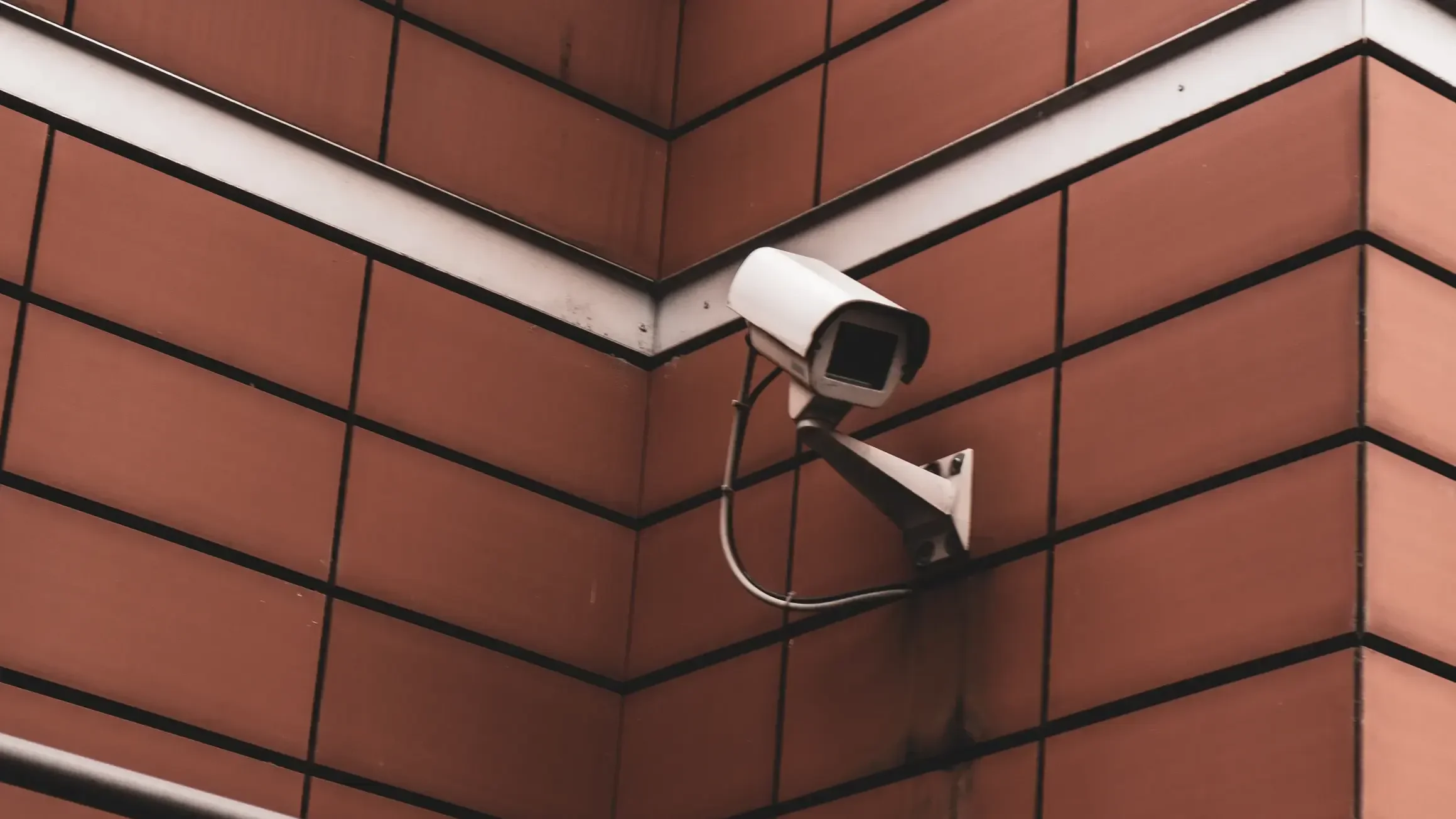
Not all installations are created equal. Here's what drives the price up (or down) in the Houston area:
1. Camera Type: Wired vs. Wireless
Wired (PoE or Coaxial) Cameras
Cost per camera: $100–$500
Installation: More labor-intensive (requires running cables through walls, attics, or conduit)
Best for: Permanent installations, commercial properties, large homes
Houston consideration: Stucco and brick homes (common in Houston) require special drilling and sealing to prevent water intrusion
Wireless (Wi-Fi) Cameras
Cost per camera: $50–$250
Installation: Easier and faster (minimal wiring, often DIY-friendly)
Best for: Renters, small homes, quick setups
Houston consideration: Wi-Fi cameras can struggle in large Houston homes with thick walls or poor router placement; mesh networks may be needed
Verdict: Wired systems cost more upfront but offer better reliability and image quality. Wireless systems are cheaper to install but may require network upgrades.
2. Number of Cameras
Adding more cameras increases the total system cost, but the average cost per camera generally drops as system size grows.
1 camera: $150–$500 total, averaging $150–$500 per camera.
2 cameras: $300–$900 total, averaging $150–$450 per camera.
4 cameras: $800–$2,200 total, averaging $200–$550 per camera.
6 cameras: $1,400–$3,200 total, averaging $233–$533 per camera.
8 cameras: $2,000–$4,500 total, averaging $250–$563 per camera.
12+ cameras (commercial): $5,000–$15,000+ total, with $417–$1,250+ per camera depending on complexity.
Houston-specific tip: Most homes need 4–6 cameras to cover the front door, back door, driveway, and side gates. Larger properties, common in suburbs like Katy, Sugar Land, and The Woodlands, often require 8–12 cameras for full coverage.
3. Installation Complexity
Labor is often 50–70% of your total cost. Here's what makes an install more expensive:
Easy Install (Lower Cost)
Cameras mounted on exterior walls with easy attic or crawl space access
Pre-wired homes (Ethernet or coax already run)
Single-story homes
Houston labor cost: $65–$100/hour
Complex Install (Higher Cost)
Two-story homes requiring ladder work
Brick, stucco, or stone exteriors (requires masonry bits and weatherproofing)
Running cables through finished walls or tight attics
Outdoor conduit installation (required for exposed wiring in Houston's weather)
Integration with existing alarm or smart home systems
Houston labor cost: $100–$150/hour
Houston-specific challenge: Summer attic temperatures in Houston regularly exceed 140°F, making attic work slower and more expensive. Many installers charge a "summer surcharge" for attic runs between June and September.
Impact on cost: Higher camera resolution and advanced features increase both equipment pricing and installation complexity.
1080p (2MP): Costs roughly $50–$150 per camera and works best for budget systems and small coverage areas.
2K (4MP): Typically priced between $100–$250 per camera and is the most popular choice for standard residential installations, offering a strong balance of clarity and cost.
4K (8MP): Ranges from $200–$500 per camera and is ideal for large properties, long-distance viewing, license plate capture, and facial recognition.
Premium features that add cost:
Motorized zoom lenses: +$50–$150 per camera
Vandal-proof housings (IK10 rated): +$30–$100 per camera
Extreme weather rating (IP67): Standard in Houston due to humidity and storms
AI detection (person/vehicle/package): +$20–$50 per camera or $5–$15/month subscription
Two-way audio: +$10–$30 per camera
Infrared night vision (100+ feet): +$20–$80 per camera
5. Storage: DVR/NVR vs. Cloud
You'll need somewhere to store your footage. Here are your options:
Local Storage (DVR/NVR)
DVR (for analog/coax cameras): $100–$300
NVR (for IP/PoE cameras): $150–$500
Hard drive (1TB–8TB): $50–$200
Pros: One-time cost, no monthly fees, footage stays private
Cons: Can be stolen or damaged, no remote access without additional setup
Houston consideration: Power outages during hurricanes can corrupt footage; battery backup recommended (+$100–$200)
Cloud Storage
Cost: $3–$30/month per camera
Pros: Remote access, automatic backups, can't be stolen
Cons: Ongoing monthly fees, requires reliable internet
Houston consideration: With frequent storms and power outages, cloud storage ensures footage is safe even if equipment is damaged
Hybrid approach (recommended for Houston): Local NVR for 24/7 recording + cloud backup for critical cameras (front door, driveway).
Houston Security Camera Installation Cost Breakdown (Real Examples)
Example 1: Small Home (4 Cameras, Wireless)
Property: 1,800 sq ft single-story home in Cypress
System: 4x 2K wireless cameras (Ring, Arlo, or similar)
Installation: DIY with professional consultation
Cost breakdown:
Cameras: $400 ($100 each)
Mounts/accessories: $60
Professional consultation (1 hour): $100
Cloud storage (4 cameras): $12/month
Total upfront: $560
Monthly: $12
Example 2: Medium Home (6 Cameras, Wired PoE)
Property: 2,500 sq ft two-story home in Sugar Land with brick exterior
System: 6x 4MP PoE cameras + 8-channel NVR + 2TB hard drive
Installation: Professional (Savvy Cams or similar)
Cost breakdown:
Cameras: $900 ($150 each)
NVR + hard drive: $350
PoE switch: $80
Cables/mounts: $120
Labor (12 hours @ $100/hr): $1,200
Total: $2,650
Monthly: $0 (local storage)
Example 3: Large Property (12 Cameras, Commercial-Grade)
Property: 5,000 sq ft home in The Woodlands with detached garage and pool house
System: 12x 4K PoE cameras with motorized zoom + 16-channel NVR + 6TB storage
Installation: Professional with conduit runs and smart home integration
Cost breakdown:
Cameras: $3,600 ($300 each)
NVR + hard drive: $700
PoE switches (2): $200
Cables/conduit/mounts: $400
Labor (24 hours @ $120/hr): $2,880
Smart home integration: $300
Total: $8,080
Monthly: $0 (local storage)
Example 4: Small Business (8 Cameras, Indoor + Outdoor)
Property: Retail store in Houston (Montrose area)
System: 8x 4MP cameras (4 indoor dome, 4 outdoor bullet) + cloud VMS
Installation: Professional with after-hours install
Cost breakdown:
Cameras: $1,200 ($150 each)
Cloud VMS subscription: $25/month per camera
Labor (16 hours @ $130/hr): $2,080
After-hours surcharge: $200
Total upfront: $3,480
Monthly: $200 (cloud storage + monitoring)
Hidden Fees Most Houston Installers Don't Mention Upfront
Watch out for these surprise costs:
Attic access fee: $50–$150 (if installer needs to cut new access or navigate difficult attic)
Brick/stucco drilling: $15–$30 per camera (requires special bits and sealant)
Conduit installation: $3–$8 per linear foot (required for exposed outdoor wiring)
Network upgrades: $100–$500 (if your router/switch can't handle IP cameras)
Permit fees: $50–$200 (some Houston neighborhoods and HOAs require permits)
Removal of old system: $100–$300
Weekend/after-hours install: +20–50% labor surcharge
Hurricane-rated mounts: +$20–$40 per camera (recommended for coastal areas)
Cellular backup (for cloud cameras): $20–$40/month (keeps cameras online during internet outages)
Pro tip: Always ask for an itemized quote that includes all materials, labor, and potential add-ons before signing a contract.
DIY vs. Professional Installation: What Houston Homeowners Should Know
DIY Installation
Best for:
Wireless cameras
Single-story homes
Tech-savvy homeowners
Budgets under $1,000
Pros:
Save $500–$2,000 on labor
Full control over placement and setup
Can upgrade/move cameras easily
Cons:
No warranty on installation
Risk of improper weatherproofing (major issue in Houston's humidity and storms)
Time-consuming (expect 4–8 hours for a 4-camera system)
May void camera warranty if installed incorrectly
Houston-specific DIY challenges:
Drilling through brick/stucco without proper sealant can cause water damage
Attic work in summer is dangerous (heat exhaustion risk)
Hurricane-force winds can rip off improperly mounted cameras
Professional Installation
Best for:
Wired systems
Two-story homes
Brick/stucco exteriors
Commercial properties
Homeowners who want it done right the first time
Pros:
Proper weatherproofing and cable management
Warranty on installation (typically 1–3 years)
Faster (4-camera system installed in 4–6 hours)
Expertise in optimal camera placement
Cons:
Higher upfront cost ($500–$3,000+ for labor)
Less flexibility to move cameras later
What to look for in a Houston installer:
Texas State Security Contractor License (required for commercial installs)
Experience with Houston-specific challenges (humidity, storms, stucco homes)
Warranty on both equipment and labor
References from local customers
Transparent pricing (no hidden fees)
How to Save Money on Security Camera Installation in Houston
1. Buy Equipment Separately (But Be Careful)
Some installers mark up equipment 30–50%. Buying cameras yourself from Amazon or B&H Photo can save $200–$800, but:
Make sure your installer will warranty the install even if you supply equipment
Verify cameras are compatible with your chosen NVR/DVR
Check return policies (some installers won't troubleshoot customer-supplied equipment)
2. Bundle Installation with Other Services
Many Houston security companies offer discounts when you bundle:
Security cameras + alarm system: Save 10–20%
Cameras + smart locks: Save $100–$300
Cameras + home automation: Save 15–25%
3. Install During Off-Peak Season
Houston installers are busiest in spring (pre-hurricane season) and after major storms. Book in fall or winter for:
10–20% lower labor rates
Faster scheduling
More negotiating power
4. Start Small, Expand Later
Install 2–4 cameras now (covering critical entry points) and add more later. Most systems support expansion without replacing the NVR.
5. Ask About Financing
Many Houston installers offer 0% financing for 6–12 months on systems over $1,500.
Houston-Specific Installation Considerations
Weather & Climate
Humidity: Cameras must be IP66 or IP67 rated (standard in Houston)
Hurricanes: Use hurricane-rated mounts and conduit for exposed wiring
Heat: Cameras in direct sun (especially west-facing) may need sunshades or higher temperature ratings
Flooding: Cameras should be mounted at least 8–10 feet high in flood-prone areas
Home Construction
Stucco homes: Require special drilling and sealing to prevent water intrusion
Brick homes: Need masonry bits and anchors (adds $15–$30 per camera)
Pier-and-beam foundations: Easier to run cables than slab foundations
Large lots: Common in Houston suburbs; may need additional cameras or higher-resolution models to cover long driveways
HOA & Permit Requirements
Some Houston-area HOAs restrict camera placement (especially front-facing cameras)
Commercial installs may require city permits ($50–$200)
Always check HOA rules before installation to avoid fines or forced removal
Power Outages
Houston experiences frequent power outages during storms. Consider:
Battery backup (UPS): $100–$300 (keeps system running 2–8 hours)
Cloud storage: Ensures footage is saved even if local equipment loses power
Cellular backup: Keeps cloud cameras online when internet is down ($20–$40/month)
Frequently Asked Questions
How much does it cost to install 4 security cameras in Houston?
$800–$2,200 for a complete system (equipment + professional installation). Wireless systems are on the lower end ($800–$1,200), while wired PoE systems with local storage run $1,500–$2,200.
Is it cheaper to install security cameras yourself?
Yes, DIY installation saves $500–$2,000 in labor costs. However, professional installation ensures proper weatherproofing (critical in Houston), optimal camera placement, and warranty coverage. For wired systems or two-story homes, professional installation is strongly recommended.
How much do installers charge per camera in Houston?
$80–$200 per camera for labor only. Simple wireless installs are $80–$120 per camera, while wired installs on brick/stucco homes run $120–$200 per camera.
What's the best security camera system for Houston homes?
For most Houston homes, we recommend:
4–6 cameras (front door, back door, driveway, side gates)
2K or 4K resolution (for license plate and facial recognition)
Wired PoE system (more reliable than wireless in large homes)
Local NVR storage + cloud backup (protects footage during power outages)
IP67 weather rating (handles Houston humidity and storms)
Do I need a permit to install security cameras in Houston?
Residential: No permit required for most single-family homes, but check your HOA rules.
Commercial: Permits may be required depending on the scope of work and whether you're running new electrical lines. Always verify with the City of Houston or your installer.
How long does installation take?
4-camera wireless system: 2–4 hours (DIY) or 3–5 hours (professional)
6-camera wired system: 6–10 hours (professional)
12+ camera commercial system: 1–3 days (professional)
What's included in a professional installation?
A quality Houston installer should include:
Site survey and camera placement consultation
All mounting hardware and cables
Drilling and weatherproofing (brick/stucco sealing)
Camera configuration and network setup
Mobile app setup and training
Warranty on installation (1–3 years)
Should I use local storage or cloud storage?
Best for Houston: Hybrid approach. Use a local NVR for 24/7 recording (no monthly fees) and add cloud backup for critical cameras. This protects your footage during power outages and equipment theft.
Can I add more cameras later?
Yes, most systems support expansion. When buying an NVR, choose one with extra channels (e.g., buy an 8-channel NVR even if you're starting with 4 cameras).
What's the lifespan of a security camera system?
Cameras: 5–10 years (outdoor cameras may need replacement sooner due to weather exposure)
NVR/DVR: 5–7 years
Hard drives: 3–5 years (should be replaced proactively to avoid data loss)
Final Recommendation: What Should Houston Homeowners Do?
Here's our advice based on 500+ Houston installations:
For Most Houston Homes (2,000–3,000 sq ft):
System: 4–6 wired PoE cameras (2K or 4K resolution)
Storage: 8-channel NVR with 2TB hard drive + cloud backup for front door camera
Installation: Professional (ensures proper weatherproofing and warranty)
Expected cost: $1,500–$2,800
Monthly cost: $3–$10 (cloud backup for 1–2 cameras)
For Large Properties (4,000+ sq ft or multi-acre lots):
System: 8–12 wired PoE cameras with motorized zoom
Storage: 16-channel NVR with 4TB–6TB hard drive
Installation: Professional with conduit runs and smart home integration
Expected cost: $4,000–$8,000
Monthly cost: $0–$20 (optional cloud backup)
For Renters or Budget-Conscious Homeowners:
System: 2–4 wireless cameras (Ring, Arlo, Wyze, or similar)
Storage: Cloud only
Installation: DIY
Expected cost: $300–$800
Monthly cost: $10–$30 (cloud storage)
Conclusion: Invest in Quality, Not Just Price
When it comes to security camera installation in Houston, the cheapest option isn't always the best. A poorly installed system can fail during storms, miss critical footage due to bad placement, or require expensive repairs within a year.
Key takeaways:
Budget $1,500–$2,800 for a quality 4–6 camera system with professional installation
Always get itemized quotes from at least 3 installers
Prioritize weatherproofing and warranty over rock-bottom pricing
Consider hybrid storage (local NVR + cloud backup) for Houston's storm-prone climate
Work with a licensed, experienced Houston installer who understands local challenges
Your home's security is too important to cut corners. Invest in a system that will protect your family and property for years to come.
