
PoE vs Wi‑Fi Security Cameras: Which Is Better for Houston Heat, Stucco/Brick Walls, and Reliability?
When you're investing in a security camera system for your Houston home, one of the first decisions you'll face is choosing between PoE (Power over Ethernet) cameras and Wi‑Fi cameras. Both have their place, but in Houston's unique environment—with extreme heat, humidity, large properties, and common stucco or brick construction—the choice becomes even more critical.
This guide breaks down the real-world differences between PoE and Wi‑Fi security cameras, with a specific focus on how each performs in Houston's climate and housing conditions. We'll cover reliability, installation challenges, video quality, costs, and which system makes the most sense for your property.
What Are PoE and Wi‑Fi Security Cameras?
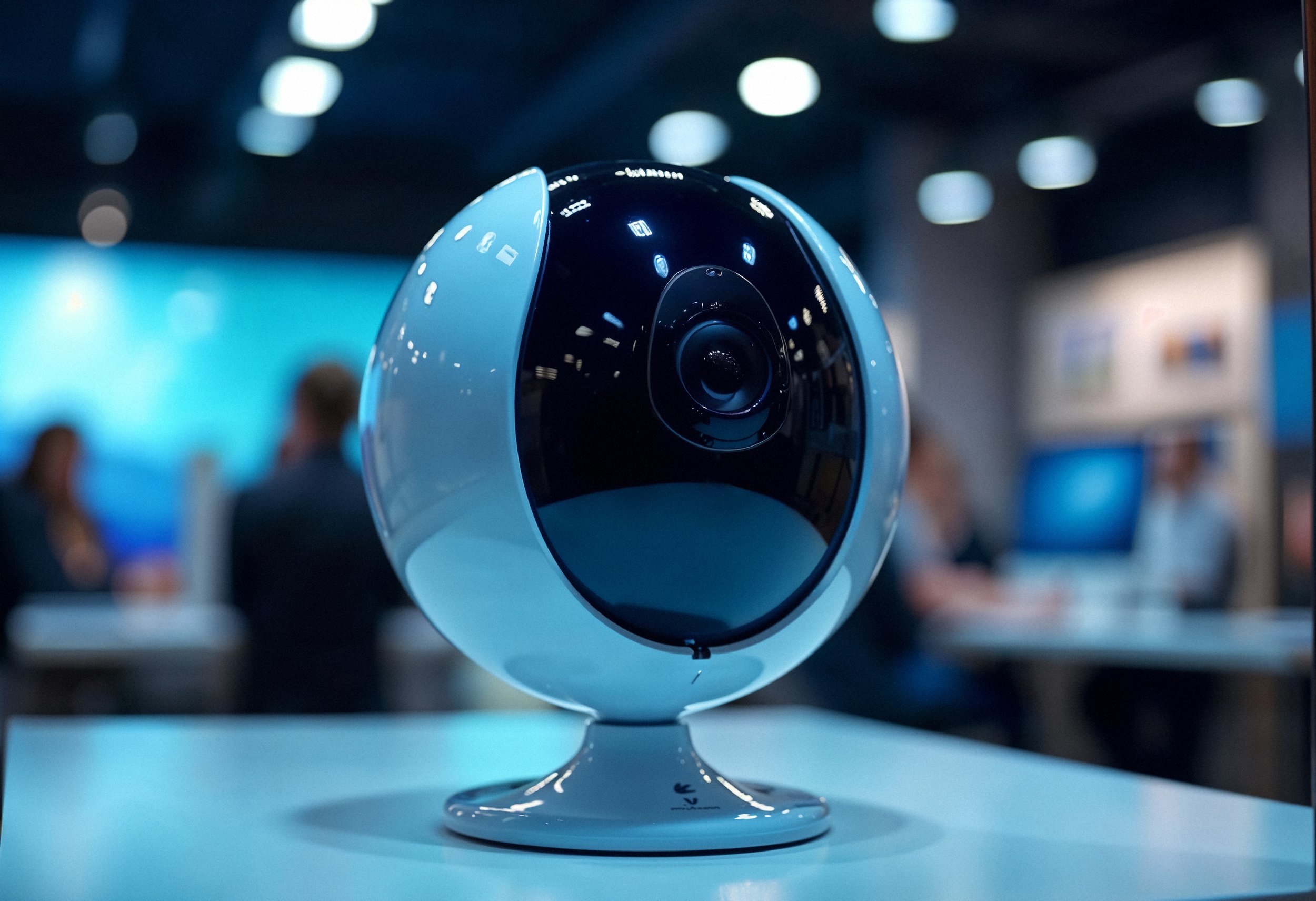
Before diving into the comparison, let's define what each system actually is.
What Is a PoE Camera?
PoE (Power over Ethernet) cameras are wired IP cameras that receive both power and data through a single Ethernet cable. This cable connects directly to a PoE switch or Network Video Recorder (NVR), eliminating the need for separate power outlets at each camera location.
Key features:
Single cable for power and data
Connects to a central NVR or PoE switch
Requires professional installation or advanced DIY skills
Supports continuous 24/7 recording
Highly reliable, no dependence on Wi‑Fi signal
Example: Savvy Cams installs professional-grade PoE camera systems designed for Houston's climate.
What Is a Wi‑Fi Camera?
Wi‑Fi cameras are wireless IP cameras that transmit video footage over your home's Wi‑Fi network. They still require a power source (either a plug-in adapter, battery, or solar panel), but they don't need Ethernet cables for data transmission.
Key features:
Wireless data transmission via Wi‑Fi
Requires strong Wi‑Fi signal at camera location
Easy DIY installation
Often battery-powered or plug-in
May have limited recording duration (battery models)
Example: Popular brands include Ring, Arlo, and Blink.
PoE vs Wi‑Fi Cameras: Side-by-Side Comparison
Here's a quick overview of how PoE and Wi‑Fi cameras stack up across key factors:
Power & connectivity: PoE cameras use a single Ethernet cable for power and data, while Wi-Fi cameras rely on batteries, plug-in power, or solar and transmit data wirelessly.
Reliability: PoE cameras deliver near-constant uptime with no signal drops, whereas Wi-Fi cameras are more prone to interference and connection issues.
Video quality: PoE systems provide stable, continuous 4K streaming; Wi-Fi camera quality varies based on signal strength.
Recording style: PoE cameras support true 24/7 recording, while Wi-Fi cameras typically use motion-based recording to save battery.
Installation: PoE setups require cable runs and more effort, while Wi-Fi cameras are easy DIY installs.
Range: PoE cameras work reliably up to 100 meters via cable; Wi-Fi cameras have a shorter effective range, especially indoors.
Security: PoE cameras are more secure due to wired, isolated networks; Wi-Fi cameras are more exposed to hacking or jamming.
Cost: PoE cameras cost more upfront but are cheaper over time, while Wi-Fi cameras are cheaper initially but more expensive long term.
Best use case: PoE cameras suit permanent installations, large homes, and businesses; Wi-Fi cameras are better for renters, small spaces, and temporary setups.
Why PoE Cameras Are Better for Houston Homes (In Most Cases)
Houston's unique environment creates specific challenges that favor PoE cameras over Wi‑Fi in most residential and commercial applications. Here's why:
1. Houston's Extreme Heat & Humidity
Houston summers regularly hit 95-100°F with 90%+ humidity. This climate is brutal on electronics, especially battery-powered devices.
PoE advantage:
Cameras receive constant power through Ethernet cables, eliminating battery degradation from heat
No need to climb ladders in 100°F heat to swap out dead batteries every 3-6 months
PoE cameras are typically rated for -4°F to 140°F operating temperatures
Wi‑Fi disadvantage:
Battery-powered Wi‑Fi cameras lose charge faster in extreme heat
Batteries degrade over time, requiring frequent replacements ($20-40 per set)
Plug-in Wi‑Fi cameras still rely on wireless signals, which can be affected by interference
Houston-specific tip: If you're installing cameras on west-facing walls (which get the most intense afternoon sun), PoE cameras eliminate the risk of battery failure during peak heat hours.
2. Large Suburban Lots & Long Driveways
Houston homes—especially in Katy, Cypress, The Woodlands, and Sugar Land—often sit on 1/4 to 1/2 acre lots with long driveways and expansive backyards.
PoE advantage:
Ethernet cables support distances up to 330 feet (100 meters) without signal loss
With PoE extenders, you can reach up to 500 meters (1,640 feet)
No Wi‑Fi dead zones or signal degradation over distance
Wi‑Fi disadvantage:
Wi‑Fi cameras typically max out at 150 feet from the router (and that's under ideal conditions)
Obstacles like walls, trees, and outdoor structures weaken Wi‑Fi signals
Large properties often require multiple Wi‑Fi extenders or mesh systems, adding cost and complexity
Houston-specific tip: For homes with detached garages, pool houses, or long driveways, PoE cameras provide reliable coverage without the need for Wi‑Fi boosters.
3. Stucco & Brick Construction (Common in Houston)
Many Houston homes feature stucco or brick exteriors, which create unique installation challenges.
PoE advantage:
Professional installers (like Savvy Cams) are experienced in drilling through stucco and brick without causing damage
Ethernet cables can be run through walls, attics, or conduits for a clean, professional look
Once installed, PoE systems are permanent and require minimal maintenance
Wi‑Fi disadvantage:
Stucco and brick walls significantly weaken Wi‑Fi signals, creating dead zones
You may need to mount Wi‑Fi cameras on the exterior surface (less aesthetically pleasing)
Wireless signals struggle to penetrate thick masonry, reducing reliability
Houston-specific tip: If your home has stucco or brick walls, PoE cameras eliminate Wi‑Fi signal issues and provide a cleaner installation.
4. Reliability & 24/7 Recording
Houston homeowners want security systems that work 100% of the time—not just when the Wi‑Fi is strong or the battery is charged.
PoE advantage:
99.9% uptime with no signal drops or interference
Supports continuous 24/7 recording without battery concerns
Immune to Wi‑Fi congestion from other devices (smart TVs, phones, tablets)
Wi‑Fi disadvantage:
Prone to signal interference from microwaves, cordless phones, and other wireless devices
Battery-powered models default to motion-triggered recording to conserve power
Wi‑Fi outages or router issues can cause recording gaps
Houston-specific tip: For homes with pools, outdoor kitchens, or high-value outdoor equipment, PoE cameras ensure you never miss critical footage.
5. Security & Privacy
Houston's property crime rates make security a top priority. PoE cameras offer superior protection against hacking and tampering.
PoE advantage:
Wired connection creates an isolated network, nearly impossible to hack remotely
Immune to Wi‑Fi jamming devices (which criminals use to disable wireless cameras)
Footage is stored locally on an NVR, not in the cloud
Wi‑Fi disadvantage:
Wireless signals can be intercepted or jammed
Cloud storage introduces third-party vulnerabilities
Requires constant firmware updates and password management
Houston-specific tip: For high-security areas like side gates, alleys, or detached structures, PoE cameras provide bulletproof protection.
When Wi‑Fi Cameras Make Sense for Houston Homes
While PoE cameras are superior in most scenarios, Wi‑Fi cameras have their place. Here's when they make sense:
1. Renters or Temporary Installations
If you're renting a home or apartment in Houston, running Ethernet cables isn't an option. Wi‑Fi cameras offer a non-invasive solution.
Best use cases:
Apartment balconies or patios
Temporary monitoring of construction or renovation projects
Homes you plan to move out of within 1-2 years
2. Small Properties with Strong Wi‑Fi Coverage
If you live in a townhome, condo, or small single-family home (under 2,000 sq ft) with a strong Wi‑Fi signal throughout, Wi‑Fi cameras can work well.
Best use cases:
Monitoring a single entry point (front door, patio)
Supplementing an existing PoE system with a few wireless cameras
Low-risk areas where occasional signal drops aren't critical
3. Budget Constraints
If upfront cost is your primary concern, Wi‑Fi cameras offer a lower entry point.
Important caveat: While Wi‑Fi cameras are cheaper upfront, they often cost more over time due to:
Battery replacements ($20-40 every 3-6 months)
Cloud storage subscriptions ($3-15/month per camera)
Potential need for Wi‑Fi extenders or mesh systems
Houston-specific tip: If budget is tight, consider starting with a small PoE system (4 cameras covering critical zones) and expanding later. Savvy Cams offers scalable systems that grow with your needs.
Installation: PoE vs Wi‑Fi in Houston Homes
PoE Camera Installation
What's involved:
Running Cat5e or Cat6 Ethernet cables from each camera location to a central NVR or PoE switch
Drilling through stucco, brick, or wood to route cables
Mounting cameras at optimal heights (7-10 feet)
Connecting all cameras to the NVR for centralized recording
Time required: 1-2 days for an 8-camera system (professional installation)
Cost: $2,000-$6,000 for an 8-camera system (including equipment and installation)
Houston-specific challenges:
Drilling through stucco or brick without causing cosmetic damage
Routing cables through attics in 120°F+ heat
Ensuring cables are weatherproofed against Houston's humidity and rain
Wi‑Fi Camera Installation
What's involved:
Mounting cameras at desired locations
Connecting cameras to your Wi‑Fi network via a smartphone app
Ensuring strong Wi‑Fi signal at each camera location
Time required: 10-15 minutes per camera (DIY)
Cost: $400-$2,400 for an 8-camera system (equipment only, no installation)
Houston-specific challenges:
Weak Wi‑Fi signals through stucco or brick walls
Battery drain in extreme heat
Limited range for large properties
Cost Comparison: PoE vs Wi‑Fi (5-Year Total)
While Wi‑Fi cameras appear cheaper upfront, the total cost of ownership tells a different story.
PoE camera system (8 cameras): Higher upfront investment at $2,000–$6,000, but extremely low ongoing costs, typically $0–$50 per year for minimal maintenance.
PoE long-term cost: Around $2,050–$6,150 over 3 years and $2,250–$6,250 over 5 years, with no mandatory subscriptions.
Wi-Fi camera system (8 cameras): Lower initial cost of $400–$2,400, making it attractive for short-term or budget setups.
Wi-Fi ongoing costs: Regular battery replacements, cloud storage subscriptions, and possible Wi-Fi extenders add recurring expenses every year.
Wi-Fi long-term cost: Approximately $2,200–$8,400 over 3 years and $3,400–$12,400 over 5 years.
Verdict: PoE systems cost more upfront but are significantly cheaper in the long run. By year 3, PoE setups often become more cost-effective than Wi-Fi systems.
Hybrid Systems: Combining PoE and Wi‑Fi
Many Houston homeowners benefit from a hybrid approach—using PoE cameras for critical areas and Wi‑Fi cameras for supplementary coverage.
Example setup:
PoE cameras: Front door, driveway, backyard, side gates (critical zones)
Wi‑Fi cameras: Garage interior, pool area, outdoor storage shed (supplementary zones)
Benefits:
Maximize reliability where it matters most
Add flexibility for hard-to-wire locations
Reduce overall system cost
Common Myths About PoE vs Wi‑Fi Cameras
Myth #1: "Wi‑Fi cameras are just as reliable as PoE."
Reality: Wi‑Fi cameras are prone to signal interference, dropped connections, and bandwidth limitations. PoE cameras offer 99.9% uptime.
Myth #2: "PoE cameras are too expensive for homeowners."
Reality: While PoE systems cost more upfront, they save money over time by eliminating battery replacements and cloud subscriptions.
Myth #3: "Wi‑Fi cameras are easier to install, so they're better for DIY."
Reality: Wi‑Fi cameras are easier to mount, but they require strong Wi‑Fi coverage, which often means buying extenders or mesh systems. PoE cameras, once installed, require zero ongoing maintenance.
Myth #4: "PoE cameras require a tech expert to set up."
Reality: Professional installers like Savvy Cams handle all the technical work, so you don't need any expertise.
FAQs: PoE vs Wi‑Fi Security Cameras in Houston
Q: Which is better for Houston's heat—PoE or Wi‑Fi cameras?
A: PoE cameras are better for Houston's extreme heat because they don't rely on batteries, which degrade faster in high temperatures. Wi‑Fi cameras with batteries require frequent replacements in Houston's 95-100°F summers.
Q: Can Wi‑Fi cameras work through stucco or brick walls?
A: Wi‑Fi signals struggle to penetrate stucco and brick, which are common in Houston homes. This often results in weak signals, dropped connections, and poor video quality. PoE cameras eliminate this issue with wired connections.
Q: Do PoE cameras work during power outages?
A: PoE cameras require power from the NVR or PoE switch. If you add a UPS (Uninterruptible Power Supply) to your system, PoE cameras will continue recording during outages. Some Wi‑Fi cameras have battery backup, but recording duration is limited.
Q: How many Wi‑Fi cameras can my router handle?
A: Most residential routers max out at 8-10 cameras before video quality suffers or connections drop. PoE systems don't have this limitation—you can add as many cameras as your NVR supports.
Q: Are PoE cameras harder to hack than Wi‑Fi cameras?
A: Yes. PoE cameras operate on a wired, isolated network, making them nearly impossible to hack remotely. Wi‑Fi cameras transmit over wireless networks, which are more vulnerable to interception and jamming.
Q: Can I install PoE cameras myself, or do I need a professional?
A: While DIY installation is possible, it requires running Ethernet cables through walls, attics, and conduits, plus drilling through stucco or brick. Savvy Cams offers professional installation with a no-cost lifetime warranty, ensuring optimal placement and performance.
Final Thoughts: PoE Is the Smart Choice for Most Houston Homes
For the vast majority of Houston homeowners, PoE cameras are the superior choice. They offer:
Unmatched reliability in Houston's extreme heat and humidity
No battery replacements or cloud subscription fees
Superior video quality with 24/7 continuous recording
Better security against hacking and tampering
Long-term cost savings compared to Wi‑Fi systems
Wi‑Fi cameras have their place, especially for renters, temporary setups, or small properties with strong Wi‑Fi coverage. But for permanent installations on large Houston properties with stucco or brick construction, PoE cameras deliver the performance, reliability, and peace of mind you need.
