
Where to Place Security Cameras on a House (Houston Edition): Best Angles, Heights & Coverage Guide
When it comes to protecting your Houston home, where you place your security cameras matters just as much as which cameras you choose. A $500 4K camera pointed at the wrong angle won't catch a package thief but a strategically positioned camera at the right height and coverage zone will.
In this guide, we'll walk you through the exact placement strategies that work best for Houston homes, from dealing with our intense west-facing sun to covering large suburban lots and navigating HOA rules. Whether you're in Memorial, The Woodlands, Katy, or Sugar Land, these placement principles will help you maximize your security coverage.
Why Camera Placement Is Critical (Especially in Houston)
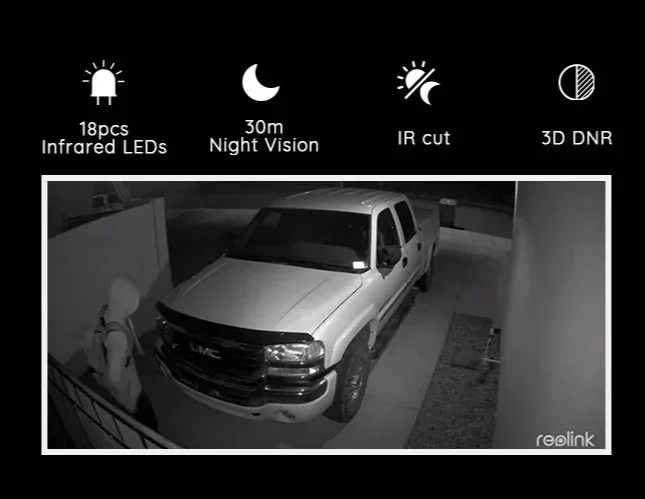
Houston's unique characteristics, including sprawling properties, extreme heat, frequent package deliveries, and diverse architectural styles, create specific challenges for security camera placement.
The numbers tell the story:
49.3% of Houston households were affected by package theft in 2024, according to Security.org's Package Theft Report
Houston saw $207.4 million in stolen packages in 2024 alone
The Houston Police Department reports that visible security cameras deter 67% of burglars before they attempt entry
But here's the catch: a camera that's poorly positioned, too high, wrong angle, or facing direct sunlight, becomes virtually useless. In Houston's climate, where afternoon sun can create blinding glare and summer heat can affect camera performance, strategic placement isn't optional; it's essential.
The 5 Must-Cover Zones for Every Houston Home
Before we dive into specific placement tips, let's establish the five critical zones every Houston home should monitor:
1. Front Door & Porch
This is your #1 priority. According to the FBI's Uniform Crime Report, 34% of burglars enter through the front door. It's also where most package deliveries occur.
Placement specs:
Height: 7-9 feet
Angle: Downward 15-30 degrees to capture faces clearly
Coverage: Frame the entire porch, steps, and approach path
Camera type: Video doorbell camera or dedicated porch camera
Houston-specific tip: If your front door faces west, position the camera under an eave or use a camera with HDR (High Dynamic Range) to handle the intense 4-7 PM sun glare.
2. Driveway & Garage
Your driveway is a high-traffic zone and a common entry point for property crimes. In Houston's suburban neighborhoods, driveways are often long and exposed.
Placement specs:
Height: 8-10 feet on the garage or house corner
Angle: Cover the entire driveway length, garage door, and any side gates
Coverage: Capture license plates of vehicles (requires a dedicated LPR camera or 4K resolution)
Camera type: Outdoor security camera with night vision
Houston-specific tip: For homes with circular driveways or multiple entry points, consider two cameras, one at the garage and one at the street entrance.
3. Backyard & Patio
Houston homes often have large backyards, pools, and outdoor living spaces. These areas are vulnerable because they're hidden from street view.
Placement specs:
Height: 9-10 feet on the back of the house or under eaves
Angle: Wide-angle lens (110-130°) to cover the entire yard
Coverage: Focus on sliding doors, windows, pool areas, and fence lines
Camera type: Weatherproof outdoor camera with motion detection
Houston-specific tip: If you have a pool or outdoor kitchen, position cameras to monitor these high-value areas. Also, ensure cameras can handle Houston's humidity and occasional flooding.
4. Side Gates & Alleyways
Side yards and alleys are "blind spots" that burglars love. In Houston, many homes have side gates leading to backyards—a common entry point.
Placement specs:
Height: 8-9 feet, angled down the pathway
Angle: Narrow the field of view to focus on the gate and pathway
Coverage: Capture anyone approaching or leaving through the side
Camera type: Compact outdoor camera with motion alerts
Houston-specific tip: If your home backs up to an alley (common in older Houston neighborhoods like Montrose or Heights), add a camera covering the alley approach.
5. Secondary Entrances (Mudroom, Basement, Side Doors)
Any door is a potential entry point. Don't overlook side doors, mudrooms, or garage entry doors.
Placement specs:
Height: 7-8 feet
Angle: Direct view of the door and immediate surroundings
Coverage: Capture faces and activity at the door
Camera type: Indoor/outdoor camera with two-way audio
Optimal Camera Heights & Angles: The Science Behind Placement
Height Matters More Than You Think
General rule: Install cameras 7-10 feet high. Here's why:
Below 7 feet: Too easy to tamper with, vandalize, or spray paint
7-9 feet: Ideal for capturing faces and activity while staying out of reach
Above 10 feet: You lose facial detail and get mostly "top of head" shots
Exception: Doorbell cameras are typically installed at 4-5 feet (standard door height) and are designed for close-range facial capture.
Field of View (FOV): Wide vs. Narrow
Wide-angle (110-130°): Best for large areas like backyards, driveways, and open spaces
Narrow-angle (60-80°): Best for focused zones like doorways, gates, and hallways
Houston-specific consideration: For large suburban lots (common in Katy, Cypress, and The Woodlands), use wide-angle cameras for perimeter coverage and narrow-angle cameras for entry points.
Houston-Specific Placement Challenges (And How to Solve Them)
Challenge #1: Intense West-Facing Sun (4-7 PM Glare)
Houston's afternoon sun is brutal, especially for west-facing cameras. Direct sunlight can completely wash out your footage.
Solutions:
Install cameras under eaves or soffits to create natural shade
Use cameras with WDR (Wide Dynamic Range) or HDR technology
Position cameras at an angle that avoids direct sun exposure
Consider adding a small sunshade or visor to the camera housing
Challenge #2: Stucco & Brick Homes (Mounting Difficulties)
Many Houston homes feature stucco or brick exteriors, which require special mounting techniques.
Solutions:
Use masonry anchors and drill bits designed for brick/stucco
Avoid over-tightening screws (can crack stucco)
Seal all drill holes with silicone caulk to prevent water intrusion
Consider professional installation to avoid cosmetic damage—Savvy Cams specializes in clean, professional installs on all exterior types
Challenge #3: Large Lots & Long Driveways
Houston suburban homes often sit on 1/4 to 1/2 acre lots with long driveways.
Solutions:
Use 4K or 2K+ resolution cameras for long-distance clarity
Add a dedicated camera at the street entrance to capture approaching vehicles
Consider a PTZ (Pan-Tilt-Zoom) camera for large yards
Use cameras with optical zoom (not just digital) for distant coverage
Challenge #4: HOA Rules & Aesthetic Restrictions
Many Houston neighborhoods (especially in master-planned communities) have strict HOA rules about visible cameras.
Solutions:
Choose discreet, low-profile cameras in neutral colors (white, beige, gray)
Install cameras under eaves or in less visible locations
Use wireless cameras to avoid visible cable runs
Check your HOA's CC&Rs before installation—Savvy Cams can help navigate HOA requirements
Challenge #5: Humidity, Heat & Storms
Houston's climate is tough on electronics. Cameras must withstand 100°F+ heat, 90% humidity, and occasional flooding.
Solutions:
Only use cameras rated IP65 or higher (weatherproof)
Ensure cameras have operating temperature ranges of -4°F to 140°F
Install cameras under eaves to protect from direct rain
Use PoE (Power over Ethernet) cameras to avoid outdoor power outlets and reduce failure points
Common Camera Placement Mistakes (And How to Avoid Them)
Even experienced DIYers make these mistakes. Here's what to avoid:
Mistake #1: Pointing Cameras at Reflective Surfaces
Problem: Cameras pointed at windows, glass doors, or shiny surfaces create glare and reflections, especially at night when IR (infrared) LEDs bounce back.
Fix: Angle cameras away from glass. If you must monitor through a window, turn off IR and rely on external lighting.
Mistake #2: Installing Cameras Too High
Problem: Cameras mounted above 10 feet capture the tops of heads, not faces.
Fix: Keep cameras at 7-9 feet for optimal facial recognition.
Mistake #3: Ignoring Lighting Conditions
Problem: Cameras facing bright lights (streetlights, porch lights) or direct sun produce washed-out footage.
Fix: Position cameras perpendicular to light sources, not facing them directly.
Mistake #4: Overlooking Cable Management
Problem: Exposed cables are unsightly and can be cut by intruders.
Fix: Run cables through walls, conduit, or use wireless cameras. Savvy Cams ensures clean, professional cable routing on every install.
Mistake #5: Not Testing Camera Views Before Final Installation
Problem: You mount the camera, only to realize it doesn't cover the area you intended.
Fix: Use a ladder and smartphone to preview the camera's view before drilling. Or, work with a professional installer who will test and adjust placement on-site.
Bonus Tips for Maximum Security Coverage
Tip #1: Overlap Camera Views
Don't rely on a single camera to cover a critical area. Overlap coverage zones so if one camera fails or is obscured, another captures the activity.
Tip #2: Use Motion Detection Zones
Modern cameras let you define specific motion detection zones. This reduces false alerts (e.g., tree branches, passing cars) and focuses on actual threats.
Tip #3: Add Signage
Visible "24-Hour Video Surveillance" signs amplify the deterrent effect. Burglars are less likely to target homes with obvious security measures.
Tip #4: Integrate with Smart Home Systems
Connect your cameras to smart home platforms (Alexa, Google Home, Apple HomeKit) for voice control, automated alerts, and seamless monitoring.
Tip #5: Regularly Review & Adjust
After installation, review your footage for a week. Adjust angles, heights, or add cameras if you notice blind spots.
FAQs: Security Camera Placement in Houston
Q: Do I need a permit to install security cameras in Houston?
A: Generally, no permit is required for residential security camera installation in Houston. However, if you're running new electrical lines or making structural changes, you may need a permit. Always check with your HOA if you live in a deed-restricted community.
Q: Can I point my camera at my neighbor's property?
A: You can record areas visible from your property (including parts of your neighbor's yard), but you cannot intentionally invade their privacy (e.g., pointing cameras into their windows). Texas is a one-party consent state for audio recording, so be mindful of microphone placement.
Q: What's the best camera height to avoid vandalism?
A: Install cameras at 8-10 feet to keep them out of easy reach. Also, use cameras with tamper detection that alert you if someone tries to move or disable them.
Q: Should I use wired or wireless cameras in Houston?
A: Wired (PoE) cameras are more reliable, especially in Houston's heat and humidity. They don't rely on Wi-Fi, which can be unstable, and they're powered through a single Ethernet cable. Savvy Cams specializes in PoE installations for maximum reliability.
Q: How do I prevent sun glare on my cameras?
A: Install cameras under eaves, use cameras with WDR/HDR, and avoid pointing cameras directly at the sun. If necessary, add a small sunshade or visor.
Q: Can I install cameras myself, or should I hire a professional?
A: DIY is possible, but professional installation ensures optimal placement, clean cable routing, weatherproofing, and warranty coverage. Savvy Cams offers professional installation with a no-cost lifetime warranty—something DIY can't match.
Final Thoughts: Strategic Placement = Real Security
Installing security cameras isn't just about buying the best equipment—it's about strategic placement that maximizes coverage, deters criminals, and captures usable footage when it matters most.
For Houston homeowners, this means accounting for our unique challenges: intense sun, large properties, extreme weather, and HOA restrictions. By following the placement principles in this guide—covering the five critical zones, using optimal heights and angles, and avoiding common mistakes—you'll create a security system that actually works.
